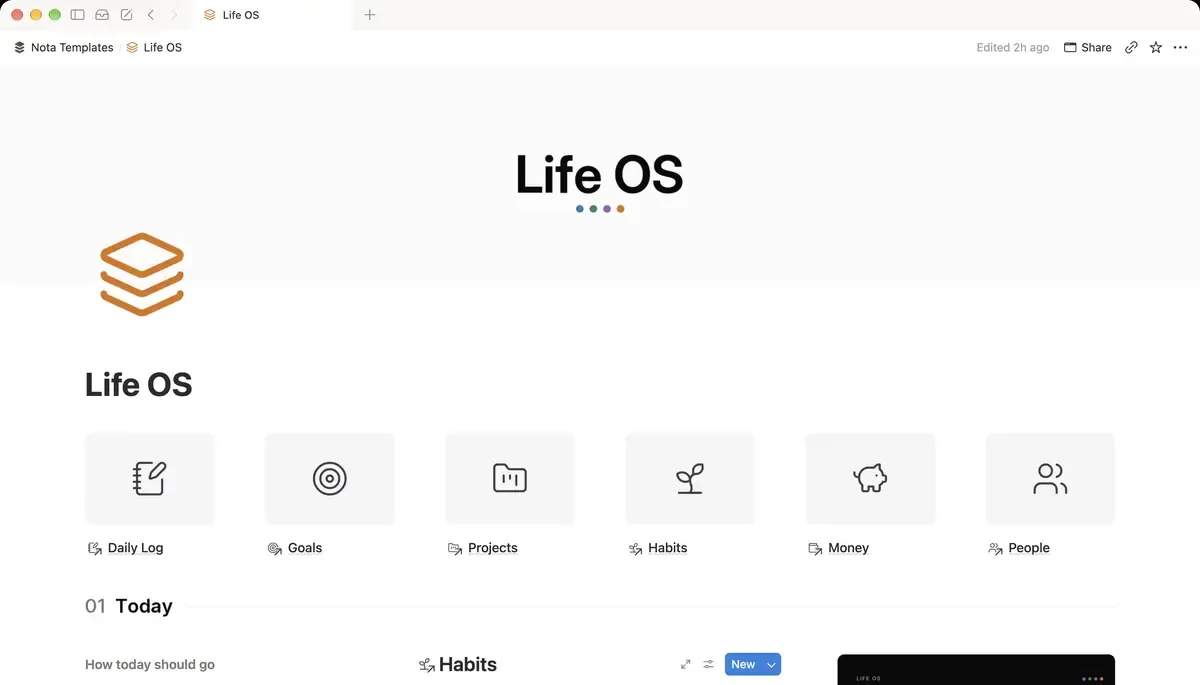
Start with Areas, not goals
Make a database called Areas and rename the Name column to Area. Add a Focus select (Growing, Maintaining, Neglected) and a Text property called What good looks like. Then add six rows: Health, Money, Mind, Work, Home, People.
Six is enough to cover a life and few enough to see on one screen. Goals change every quarter; areas barely change in years, which is why they make a good spine.
Goals with a number in them
Name the next database Goals, rename Name to Goal, and add a Relation to Areas, a Horizon select (This quarter, This year, Someday), a Status select (Not started, In progress, Done, Dropped), a Target date, and two numbers, Target and Current. Then a Progress formula, if(prop("Target") > 0, round(prop("Current") / prop("Target") * 100), 0), and one more called Health:
if(prop("Status") == "Done", style("Done", "gray"), if(empty(prop("Target date")), style("No date yet", "gray"), if(dateBetween(prop("Target date"), now(), "days") < 0, style("Overdue", "red"), if(dateBetween(prop("Target date"), now(), "days") < 30, style("Due soon", "orange"), style("On track", "green")))))What it does: labels each goal Done, No date yet, Overdue, Due soon (under 30 days left) or On track, in gray, red, orange or green.
"Run a half marathon" has a number (21 km). "Get fitter" does not, and a goal without a number has no Progress to show. If you cannot find the number, it is probably an area, not a goal.
Projects and the next action
A Projects database with a Relation to Areas, a Relation called Supports pointing at Goals, a Status select (Next up, In progress, Blocked, Done, Parked), a Due date and a Text property called Next action. Next action is the column that turns a list of projects into a to-do list: not "Side project" but "Write the landing page headline".
Habits and the daily log
Two databases. Habits: Habit, a Relation to Areas, Supports (to Goals), a Frequency select, an Active checkbox and a Minimum version. Daily Log: Day, Date, a Relation called Habits done pointing at Habits, Mood, Energy and Sleep. One Daily Log row is one day, and you tick a day's habits by picking them in Habits done.
- In Daily Log, a Rollup called Completed: Relation Habits done, Calculate Count all.
- In Habits, a Rollup called Times done: Relation Daily Log, Calculate Count all.
- In Goals, a Rollup called Habits behind it, so you can see which goals have nothing pushing them along.
The relation is what makes this a system. Because each habit supports a goal and belongs to an area, a week of skipped workouts shows up on the Health area and on the half marathon goal, not just in a tracker you stopped opening.
Money, tagged to the area it serves
A Money database: Description, Date, Amount, Type (Expense, Income, Transfer), a Category select and a Relation to Areas. Add a view called This month filtered where Date is within this month, and a Board grouped by Category with the Amount sum showing on each column. Next to it, a small Subscriptions database with Cost, a Billing select (Monthly, Yearly), Next payment and a Yearly cost formula:
if(prop("Billing") == "Yearly", prop("Cost"), prop("Cost") * 12)What it does: shows what every subscription costs per year, because $9 a month looks small and $108 a year does not.
People: friendships that do not drift
A People database with a Relationship select, a Cadence select (Weekly, Monthly, Quarterly, Yearly), a Last contact date and a Birthday. Then a Formula called Reach out:
if(empty(prop("Last contact")), style("Reach out", "orange"), if(dateBetween(now(), prop("Last contact"), "days") > if(prop("Cadence") == "Weekly", 7, if(prop("Cadence") == "Monthly", 30, if(prop("Cadence") == "Quarterly", 90, 365))), style("Reach out", "orange"), style("Recent", "gray")))What it does: compares the days since you last spoke with how often you meant to, and flags the person in orange once it has been too long.
Update Last contact after a call or a coffee and the flag clears by itself. It sounds clinical; in practice it is the only reason some friendships survive a busy year.
The rollups that turn Areas into a dashboard
Now go back to Areas, where every other database already points. Add Rollups for Goal count (Goals, Count all), Open projects (Projects, Count all), Spent (Money, Amount, Sum) and People tracked (People, Count all), then a Formula called Gap:
if(prop("Goal count") == 0, style("No goal", "orange"), "")What it does: flags any area that has no goal at all.
Read the Areas table once a month. An area marked Neglected with no goal and no spending is not a failure; it is information, and the weekly review is where you decide whether it matters.
One page: today, this week, this month
Make a page called Dashboard and fill it with linked views, filtered so the page answers three questions without scrolling:
- Today: Daily Log filtered where Date is today. This is the row you fill in each morning.
- This week: Projects where Due is within the next week and Status is not Done, showing Next action.
- This month: Money filtered to this month, and Goals in progress as a gallery showing Progress.
- People filtered where Reach out is Reach out, so drifting friendships surface on their own.
The weekly review that closes the loop
A Weekly Review database with Week, Date, three Text properties (Went well, Did not, One change), a Focus relation to Areas and a Score /10. On Sunday, open the Areas table, the goals marked Overdue or Due soon, and the People view, then write three lines. One change is the important one: a single thing to do differently, linked to the area it is for.
What to leave out at first
Meals, groceries, workouts and reading all fit this shape, each with a relation back to a goal, but do not build them on day one. Start with Areas, Goals, Habits, Daily Log and Money, use them for two weeks, and add a database only when you notice you are tracking that thing somewhere else. A Life OS you open every day beats a complete one you admire once.