Database 1: Products & Inventory
One row per thing you sell. Name the database Products & Inventory, rename the Name column to Product, then add:
- Price and Cost: Numbers, formatted as your currency.
- Stock In: a Number. Everything you have ever made or bought of this product, not what is on the shelf today.
- Reorder Level: a Number. When stock falls to this, it is time to make more.
- Category: a Select, for example Candles, Jewelry, Prints.
- Status: a Select: Active, Draft, Out of Stock, Retired.
Stock In is a running total on purpose. You only touch it when a new batch arrives. Sales subtract themselves later, so you never edit stock by hand after an order, which is exactly the step people forget.
Database 2: Orders, one row per order
Name it Orders, rename the Name column to Order, then add:
- Order Date: a Date. Ship By: a Date.
- Status: a Select: New, Processing, Shipped, Delivered, Cancelled.
- Channel: a Select: Marketplace, Shopify, Instagram, Website, Wholesale, Market / Pop-up.
- Products: a Relation pointing at Products & Inventory.
- Quantity, Subtotal, Shipping Charged and Platform Fees: Numbers.
- Paid: a Checkbox. Tracking Number: Text.
Keep one product per order row. If a customer buys two different products, make two rows. Quantity is a single number, so an order linked to two products would count that quantity against both of them.
What each order actually earned
Add a Formula to Orders called Net Revenue:
prop("Subtotal") + prop("Shipping Charged") - prop("Platform Fees")What it does: what the customer paid for the items, plus the shipping they paid, minus the fee the platform kept. This is the money that reaches you, before materials.
Stock that counts itself down
Back in Products & Inventory, add a Rollup called Units Sold: Relation set to Orders, Property to Quantity, Calculate to Sum. Then add a Formula called Stock Left, prop("Stock In") - prop("Units Sold"), and a second Formula called Stock Alert:
if(prop("Stock In") - prop("Units Sold") <= prop("Reorder Level"), "Restock", "In stock")What it does: subtracts everything sold from everything you ever had, and says Restock once what is left reaches your reorder level.
Add a view to Products called Low Stock, filtered where Stock Alert is Restock. That view is your shopping list for materials, and it updates the moment an order comes in.
Database 3: Customers
Name it Customers, rename the Name column to Customer, and add Email, a Type select (New, Returning, VIP, Wholesale), a Source select and a Relation to Orders. Then two Rollups: Total Orders (Relation Orders, Property Order, Count all) and Lifetime Value (Relation Orders, Property Net Revenue, Sum). Sort the table by Lifetime Value and the people worth a handwritten thank-you note sort themselves to the top.
Database 4: Finances
Every payout and every cost. Name it Finances, rename the Name column to Transaction, and add a Date, a Type select (Income, Expense), an Amount number, a Category select (Sales, Materials, Packaging, Shipping, Marketing, Platform Fees, Software & Tools, Equipment, Other) and an optional Relation to Orders. Then a Formula called Net Amount:
if(prop("Type") == "Expense", -prop("Amount"), prop("Amount"))What it does: turns expenses negative and leaves income positive, so adding up the column gives you profit.
Always type the Amount as a positive number and let Type decide the sign. Mixing typed minus signs with an Expense label is how a ledger ends up counting a cost twice.
The monthly scoreboard: Shop Metrics
Name it Shop Metrics and make one row per month (rename Name to Month, add a Period date and a Revenue Goal number). Add a Relation to Orders and another to Finances, then create a matching relation on each order and transaction pointing at its month. Now add Rollups: Revenue (Orders, Net Revenue, Sum), Order Count (Orders, Order, Count all) and Profit (Finances, Net Amount, Sum). Finally, a Formula called Goal Progress:
if(prop("Revenue Goal") > 0, substring("●●●●●●●●●●", 0, round(min(prop("Revenue") / prop("Revenue Goal"), 1) * 10)) + substring("○○○○○○○○○○", 0, 10 - round(min(prop("Revenue") / prop("Revenue Goal"), 1) * 10)) + " " + format(round(prop("Revenue") / prop("Revenue Goal") * 100)) + "% of goal", "Set a goal")What it does: draws ten dots and fills one for every 10% of the month's goal you have reached, then writes the exact percentage after them. Until you enter a goal it just says Set a goal.
Revenue comes from Orders and Profit comes from Finances, so record your payouts as Income in Finances as well. Picking the month on a new order or transaction is one click, and it is the click that makes the scoreboard true.
Pricing: what to charge
A separate small database called Pricing Calculator, one row per product idea, with numbers for Materials, Packaging, Labor (minutes), Hourly Rate, Markup % and Platform Fee %. The formula that matters is Suggested Price:
round((prop("Materials") + prop("Packaging") + prop("Labor (minutes)") / 60 * prop("Hourly Rate")) * (1 + prop("Markup %") / 100) / (1 - prop("Platform Fee %") / 100) * 100) / 100What it does: adds materials, packaging and your time at your hourly rate, adds your markup on top, then grosses the result up so that after the platform takes its percentage you still keep the full amount.
Dividing by (1 minus the fee) is not the same as adding the fee percentage. On a 10% fee, adding 10% leaves you short; dividing by 0.9 does not.
The dashboard page
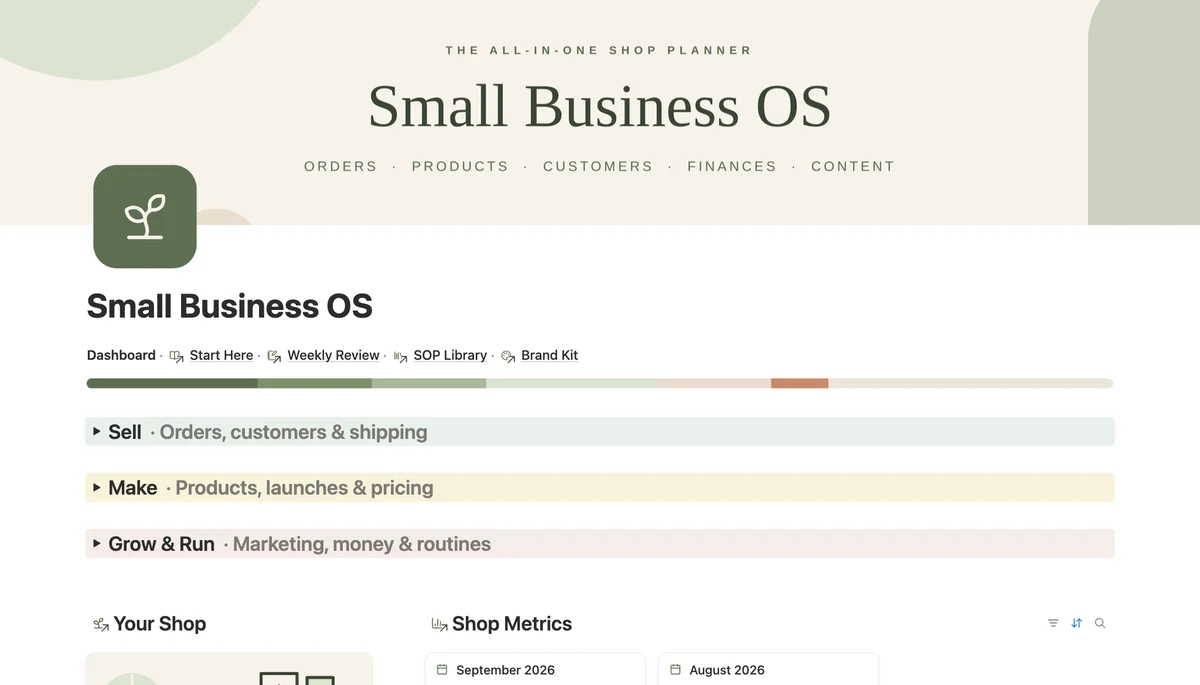
Make a page called Dashboard and put linked views of the databases on it. The four that earn their place:
- Orders, filtered where Status is New or Processing, sorted by Ship By. This is what to pack today.
- Products, the Low Stock view.
- Shop Metrics, showing Revenue, Profit and Goal Progress for the current month.
- A Tasks database (Task, Due, Status, Priority) filtered to what is not Done.
Add two Notion buttons at the top, New order and New expense, each set to add a page to Orders or Finances. Logging a sale should take less time than deciding whether to log it.
What Notion will not do
It will not pull orders from your marketplace or Shopify by itself, and it is not accounting software: no tax returns, no bank sync. You type each order in or paste it from the order email. At a handful of orders a day that is a minute each, and in exchange you get one place that knows your stock, your customers and your month. Once you take hundreds of orders a day, you need a real integration instead.