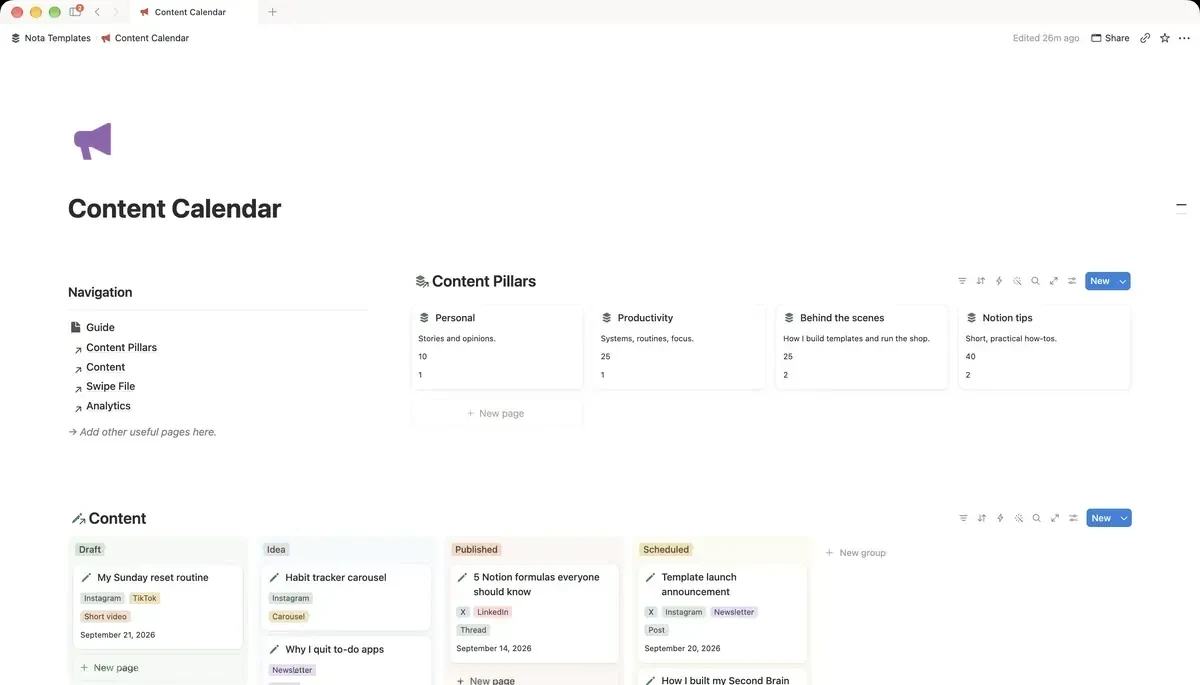
Database 1: Pillars
Three to five themes you actually want to be known for. Name the database Pillars, rename the Name column to Pillar, and add a Description and a Share % number for how much of your output each pillar should be. Twenty rows of pillars is a sign you have not decided what the account is about yet.
Database 2: Content, one row per idea
Name it Content, rename the Name column to Title, then add:
- Status: a Select: Idea, Draft, Scheduled, Published.
- Platform: a Multi-select: X, Instagram, TikTok, YouTube, LinkedIn, Threads, Newsletter. Multi, not single.
- Format: a Select: Post, Thread, Carousel, Short video, Long video, Article.
- Publish date: a Date.
- Pillar: a Relation pointing at Pillars.
- Hook: Text. The first line, written before anything else.
Platform being a multi-select is the whole trick. A video cut for TikTok, Reels and Shorts is one piece of work, so it is one row with three tags, not three rows that drift out of sync.
The board and the calendar
Add a Board view grouped by Status. The Idea column will be long, which is fine; the Draft column is the one to watch, because anything that sits there for two weeks is not going to be published. Then add a Calendar view by Publish date. The board shows what is stuck; the calendar shows the gaps.
Are your pillars balanced?
Back in Pillars, add a Rollup called Pieces: Relation set to Content, Property to Title, Calculate to Count all. Put it next to Share %. If one pillar is meant to be 40% of your output and has two pieces out of thirty, you have your next week's plan.
Database 3: Swipe file
Every hook that stopped you scrolling, saved before you forget why. Name it Swipe File, rename the Name column to Hook, then add Source, a Platform select, and a Text property called Why it works. Show it as a Gallery with card preview off and Why it works visible.
Why it works is the column that makes the swipe file useful. A pile of copied hooks teaches nothing; one line on the mechanism (a number, a confession, a contradiction) is what you reuse.
Database 4: Analytics, one entry per post
Name it Analytics, rename the Name column to Entry, then add a Relation to Content, a Date, and numbers for Views, Likes, Comments and Saves. Add a Formula called Engagement %:
if(prop("Views") > 0, round((prop("Likes") + prop("Comments") + prop("Saves")) / prop("Views") * 1000) / 10, 0)What it does: likes, comments and saves added together, divided by views, shown as a percentage.
Log the numbers once, a week after posting. Checking daily only teaches you how anxious you are.
What Notion will not do
It will not publish anything, schedule posts on the platforms, or pull the numbers in by itself. You copy them from each platform's insights. What it does is keep the thinking in one place: what you are making, why, for which pillar, and whether it worked. The posting tool can stay whatever you already use.