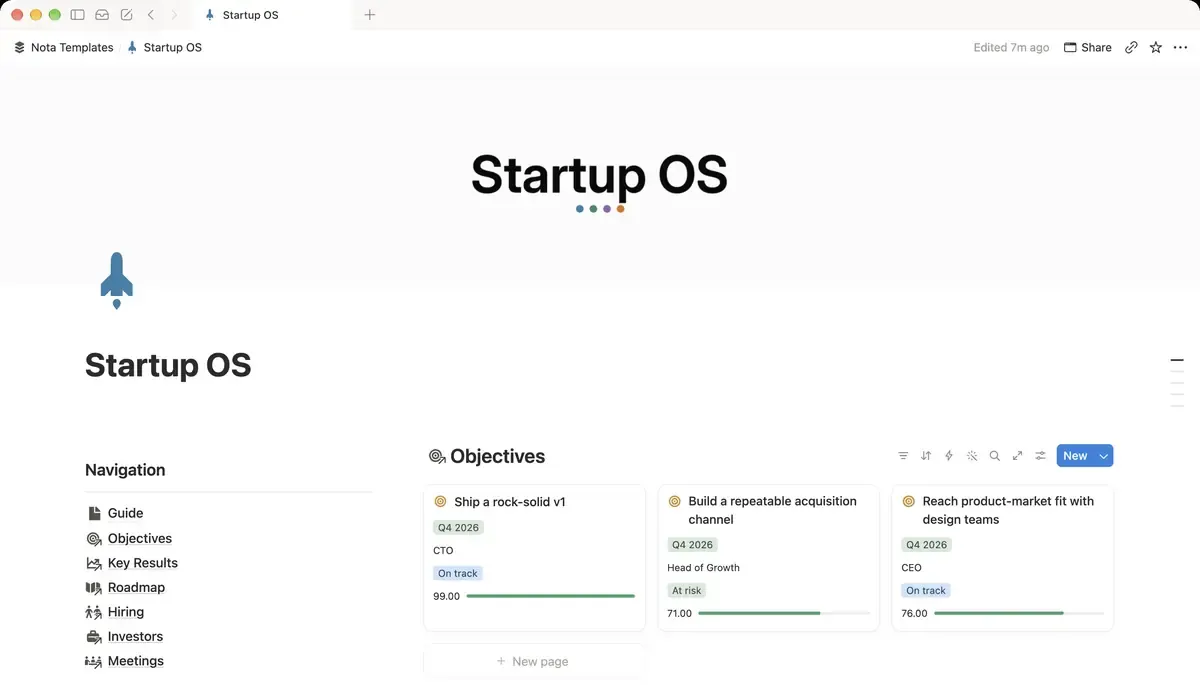
Objectives: two or three per quarter
Create a database called Objectives. Rename the Name column to Objective, then add:
- Quarter: a Select with Q3 2026, Q4 2026, Q1 2027 and so on.
- Owner: Text. One person, not a team.
- Status: a Select: On track, At risk, Off track, Done.
An objective describes a result in plain words, without a number: "Build a repeatable acquisition channel". The numbers belong to the key results.
Key results: a target and a current value
Create a second database, Key Results. Rename Name to Key result and add an Objective relation pointing at Objectives, Target and Current as numbers, Unit as text (teams, subscribers, %) and an Owner. Then add a formula called Progress:
if(prop("Target") > 0, min(100, round(prop("Current") / prop("Target") * 100)), 0)What it does: shows how far Current is towards Target as a percentage, capped at 100 so overshooting a target does not distort the average.
This formula assumes higher is better. For a number you want to bring down, such as cost per customer, track the reduction instead: if cost has to fall from $58 to $40, set Target to 18 and Current to how many dollars you have cut so far.
A status you can read at a glance
Add one more formula to Key Results, called Status label:
ifs(prop("Progress") >= 100, "Done", prop("Progress") >= 70, "On track", prop("Progress") >= 40, "At risk", "Behind")What it does: turns the percentage into a word. 100% is done, 70% or more is on track, 40% or more is at risk, anything lower is behind.
Many teams treat about 70% at the end of a quarter as a good result, because the targets are meant to be ambitious. Change the thresholds if your team counts differently.
Average progress per objective
Open Objectives and add a Rollup: Relation set to Key Results, Property set to Progress, Calculate set to Average. Name it Avg progress, and under Show as choose Bar with Divide by set to 100. Each objective now shows one progress bar built from its key results.
Tie the roadmap to the goals
Create a Roadmap database with Feature as the title, a Status select (Idea, Planned, In progress, Shipped), Quarter, Priority (P0, P1, P2), Effort (S, M, L, XL), an Owner, a Ship date, and an Objective relation. Back in Objectives, add a rollup called Roadmap items that counts the linked features.
If a feature cannot be linked to any objective, ask whether it belongs in this quarter at all. An objective with zero roadmap items is a goal nobody is working on.
The views you need
Three views cover the weekly meeting:
- Key Results grouped by Objective, showing Target, Current and Progress.
- Roadmap as a board grouped by Status, and as a timeline by Ship date.
- Objectives filtered to the current quarter.
The Friday update
Once a week, each owner updates Current on their key results. That is the only manual step: Progress, Status label and Avg progress all recalculate. At the end of the quarter, set the objectives to Done or Off track, then add next quarter's objectives with the new Quarter value. Last quarter's rows stay as a record.
When Notion is not enough
This works well for a founder, a small team or personal goals. Once several teams each have their own OKRs that roll up into company OKRs, or you need check-ins with comments and history per key result, a dedicated OKR tool will handle it better than a set of linked databases.