The thing to get straight first
Notion will not read a recipe and turn its ingredients into shopping list rows. There is no feature that does this, and articles that imply otherwise are describing something they built by hand. What Notion does well is link: each grocery item can point at the meal it is for, so when a meal moves to next week you know exactly which items move with it. You still type the items once.
Database 1 — Recipes
This is your library, and it is the only one that grows over time. Type /table, choose Table view, then New database, and name it Recipes. Rename the Name column to Recipe, then add:
- Tags — a Multi-select: quick, batch, vegetarian, uses leftovers. Tag by how the meal behaves on a weeknight, not by cuisine.
- Minutes — a Number. The number you actually need on a Tuesday, not the number on the recipe card.
- Serves — a Number.
- Source — a URL, or leave the page body for the method.
Ten recipes is a working library. Most households cook the same twelve meals and rotate them; write those down before you go collecting new ones.
Database 2 — Meals
This is the week. One row per meal per day, which means about fourteen rows a week if you plan dinners and lunches. Name it Meals, rename the Name column to Meal, then add:
- Date — a Date property.
- Slot — a Select: Breakfast, Lunch, Dinner.
- Recipe — a Relation pointing at Recipes.
- Type — a Select: Cook, Leftovers, Out, Quick. This is the property that keeps the plan realistic.
Leftovers and Out are meals. A plan that pretends you will cook seven nights running is the reason most meal planners get abandoned in week two.
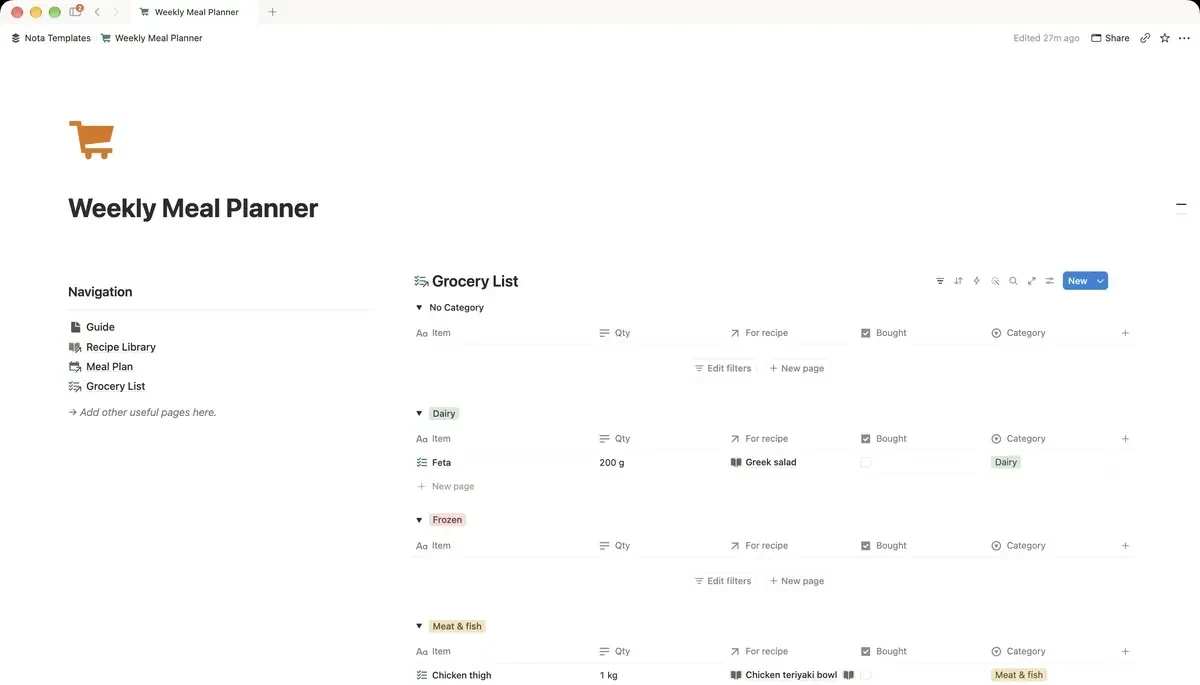
Database 3 — Grocery
The list you carry. Name it Grocery, rename the Name column to Item, then add:
- Aisle — a Select: Produce, Meat & fish, Dairy, Pantry, Frozen, Household. Match the order of your actual shop.
- Quantity — Text, not a number. "1 bag" and "500g" are not numbers.
- For meal — a Relation pointing at Meals.
- Got — a Checkbox.
Group the list by aisle, and hide what you already have
Open Grocery, add a view, and name it To buy. Set a filter where Got is unchecked, then set Group by to Aisle. The list now collapses as you shop and reorganises itself into the shape of the building you are standing in. This one setting is the difference between a list you use and a list you photograph and ignore.
Do not delete items once you have them — tick Got instead. Next week you duplicate the row rather than retyping it.
See the week as a week
In Meals, add a Calendar view with Show calendar by set to Date. Add a second view as a Board grouped by Slot for the evening when you are deciding what to cook and only want to look at dinners. Two views over the same rows, no duplication.
One rollup worth adding
In Meals, add a Rollup: Relation set to Grocery, Property to Item, Calculate to Count all. Name it Items to buy. Now a glance at the week tells you which meals still have nothing bought for them — which is usually the meal that quietly turns into a takeaway.
What this does not solve
It does not count calories or macros unless you type them in yourself, and it will not know that you already have rice. Notion is a set of linked tables, not a pantry sensor. What it removes is the part that actually wastes your evening: deciding what to cook while standing in front of the fridge, and walking the supermarket three times because the list was written in the order you thought of things.